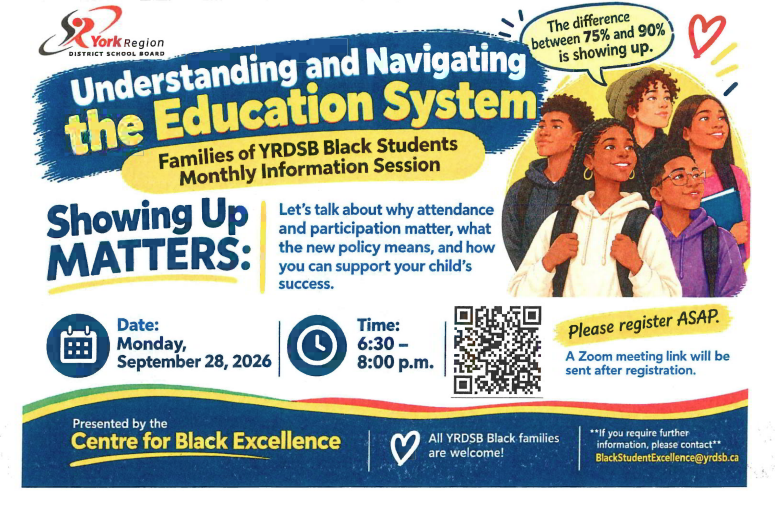

Follow us on Instagram @UHSWOLVES. To report a student absence, please email unionville.hs.attendance@yrdsb.ca with your child's name and student number. If your child is absent for 3 or more days, complete the extended absence form that can be found in the Main Office.
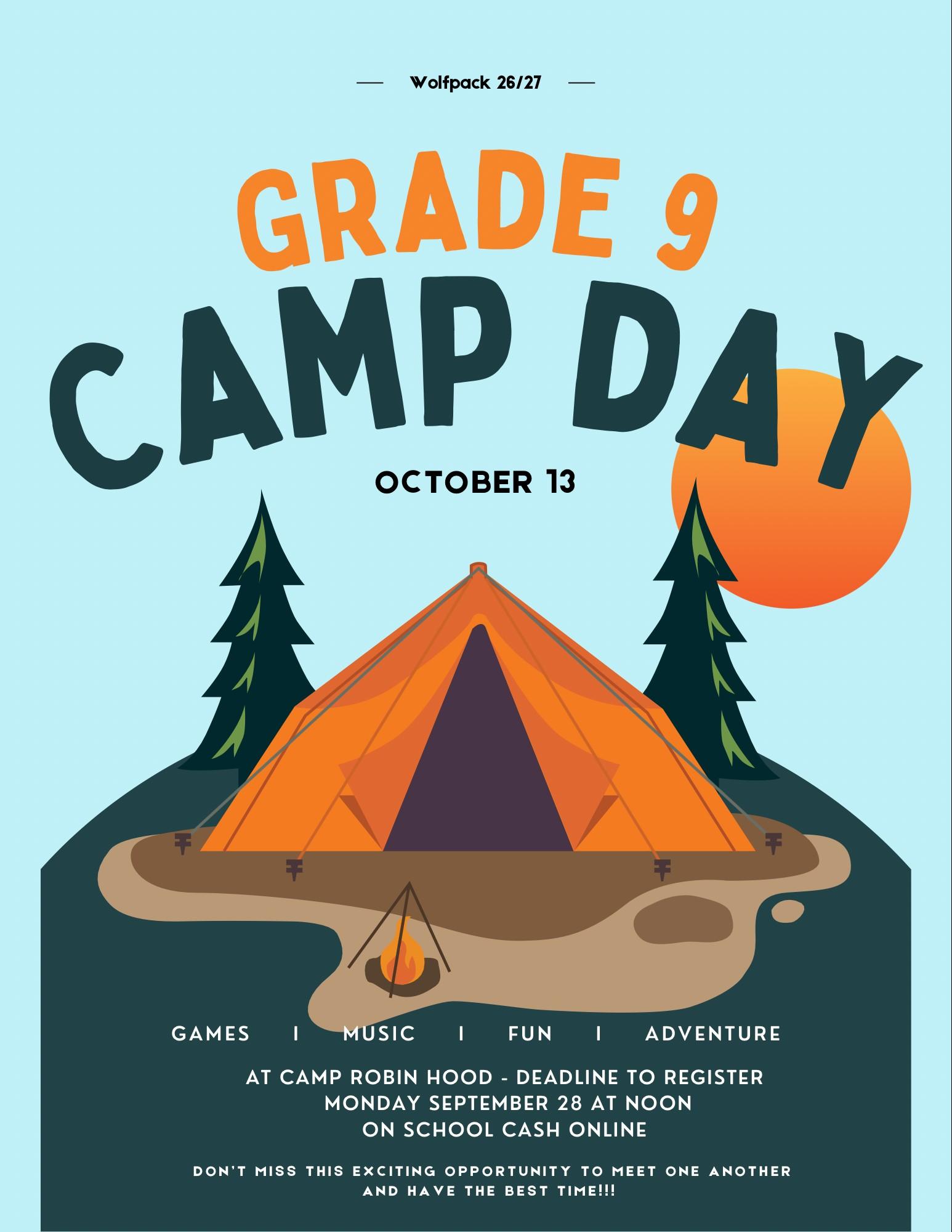
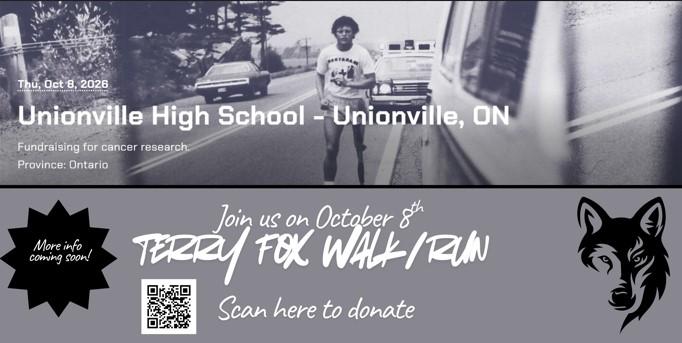
Terry Fox Run/ Walk
Important Safety Request: Traffic Procedures and Drop-off Area Around Unionville High School
Dear UHS Families,
The safety and well-being of our students, staff, and community members is always our highest priority. We are writing to address an urgent traffic safety concern that has recently been brought to our attention regarding morning drop-offs.
It has been observed that some families are stopping along Apple Creek Boulevard (just east of Warden Avenue) to let students out directly onto the main road. Students are then crossing and running through oncoming traffic to reach the school parking lot. This practice is extremely dangerous, creates severe visibility issues, and puts our students at direct risk of injury. It is also a violation of local traffic laws and parking regulations along our school boundaries.
To ensure everyone arrives at school safely, we ask all families to adhere to the following procedures:
- Use Designated Drop-Off Zones: Always use the official school driveway and designated drop-off loops on school property rather than unloading on surrounding public streets.
- Follow Municipal Parking Laws: Respect all posted "No Stopping" and "No Parking" signs along the school parameter. Local traffic enforcement and police have been made aware of the area's congestion.
- Encourage Safe Crossing: If you must drop your child off off-site, ensure it is in a legal parking area and remind them to always use marked crosswalks or pedestrian intersections.
We recognize that morning traffic can be busy, but taking extra time to follow safe procedures is crucial to keeping our students out of harm's way.
Thank you for your prompt attention, cooperation, and partnership in keeping the Unionville High School community safe.
Sincerely,
Unionville High School Administration
Please complete the annual back-to-school forms for each of your children as soon as possible.
How to Complete:
- Family Dashboard: Log in at family.yrdsb.ca, click the arrow next to your child’s name, select Back-to-School Forms, and choose your language.
- Online Alternate: Complete them at startupforms.yrdsb.ca using your child’s student number.
- Paper Copies: Contact the main office if you prefer paper forms or need assistance.
Note for Secondary Students: Secondary school students must review key policies and can complete the secondary school student form at https://startupforms.yrdsb.ca/students. They will also receive the link in their student GAPPS account.
Thank you for helping us keep student records up to date!
For additional help, visit the Board website under Family Resources (click on the “Need Help” link) for Back-to-School Forms.
Attention Grads!
On Tuesday, September 29, the Guidance department will be providing an information session on applying to post-secondary institutions and speaking about apprenticeship pathways.
Please plan to attend one of these sessions. The presentations will take place each period (1 to 5) in the Library.
Be sure that you attend during your lunch or study hall. Students will not be excused from missing classes.
See you there!
Grade 12 potential grads are asked to join the Grad Google classroom. Information regarding graduation information, post-secondary programs, scholarships/bursaries and much more will be posted here.
Google Classroom Enrolment Code: m3snp6b6
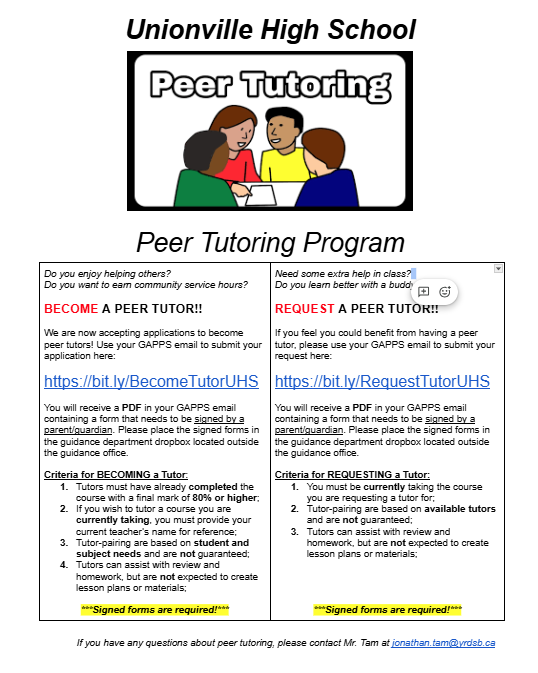
Become a peer tutor: https://bit.ly/BecomeTutorUHS
Request a peer tutor: https://bit.ly/RequestTutorUHS
Unionville High School is proud to be a 1:1 learning environment, ensuring every student has daily access to a personal device (laptop, Chromebook, or tablet) to support their education. Students are expected to bring their device each day and are responsible for its care. While most students provide their own technology, the school offers Chromebooks at no cost for temporary or semester-long loans when needed.
If your family requires a school-issued Chromebook, please complete this brief Google Form. Once a parent or guardian submits the form, your student may pick up their device in the Main Office.
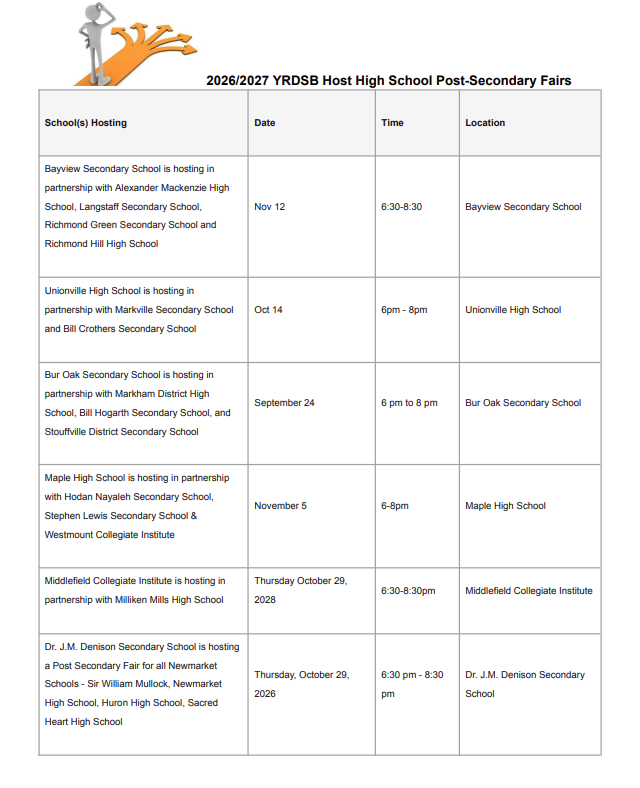
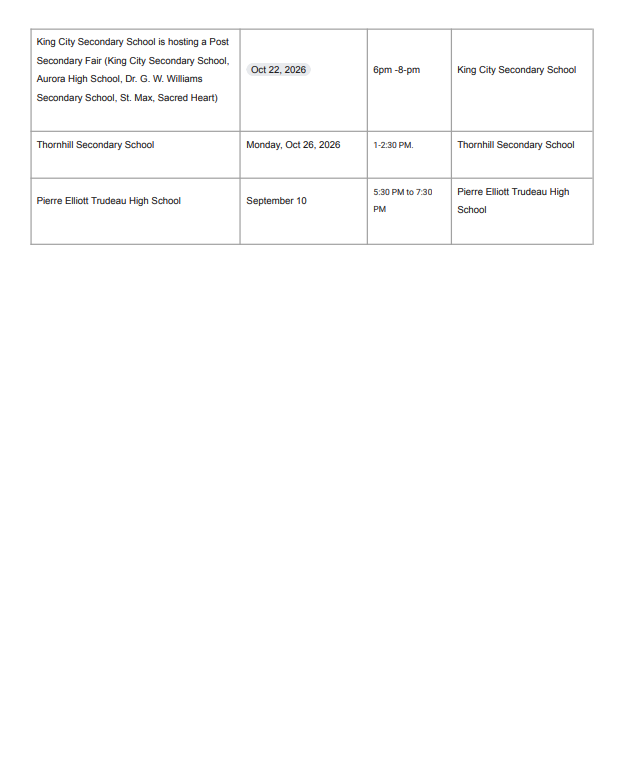
Post Secondary Fair

Prepskills School tours